TL;DR for Engineers
You don't need a public IP. We use a WireGuard UDP tunnel to punch through the ISP's CGNAT and establish a Layer 3 link to our cloud RADIUS. It's faster than SSTP, handles MTU automatically, and reconnects in milliseconds.
/interface wireguard peers add allowed-address=10.252.0.0/24 endpoint-address=vpn.yesspot.in endpoint-port=51820 interface=wireguard-yesspot public-key="..."
If you are an ISP in 2026, you are likely behind CGNAT (Carrier-Grade NAT). IPv4 addresses are exhausted, and upstream providers like Airtel, Jio, or local Tier-1s are handing out `10.x.x.x` or `100.64.x.x` ranges to LCOs.
This breaks traditional hotspot management. You can't SSH into your router remotely. You can't accept incoming COA (Change of Authorization) requests from a cloud RADIUS. You are essentially locked out of your own network from the outside world.
The Old Way: Static IPs & VPN Complexity
Traditionally, ISPs solved this by:
- Buying Static IPs: Expensive (₹3000-₹5000/year per IP) and often unavailable.
- SSTP/L2TP VPNs: TCP-over-TCP meltdown issues, high CPU usage on MikroTik, and slow reconnection times.
- VPS bridge setups: Renting extra infrastructure and bridging traffic, effectively doubling latency.
The Modern Architecture: WireGuard Hole Punching
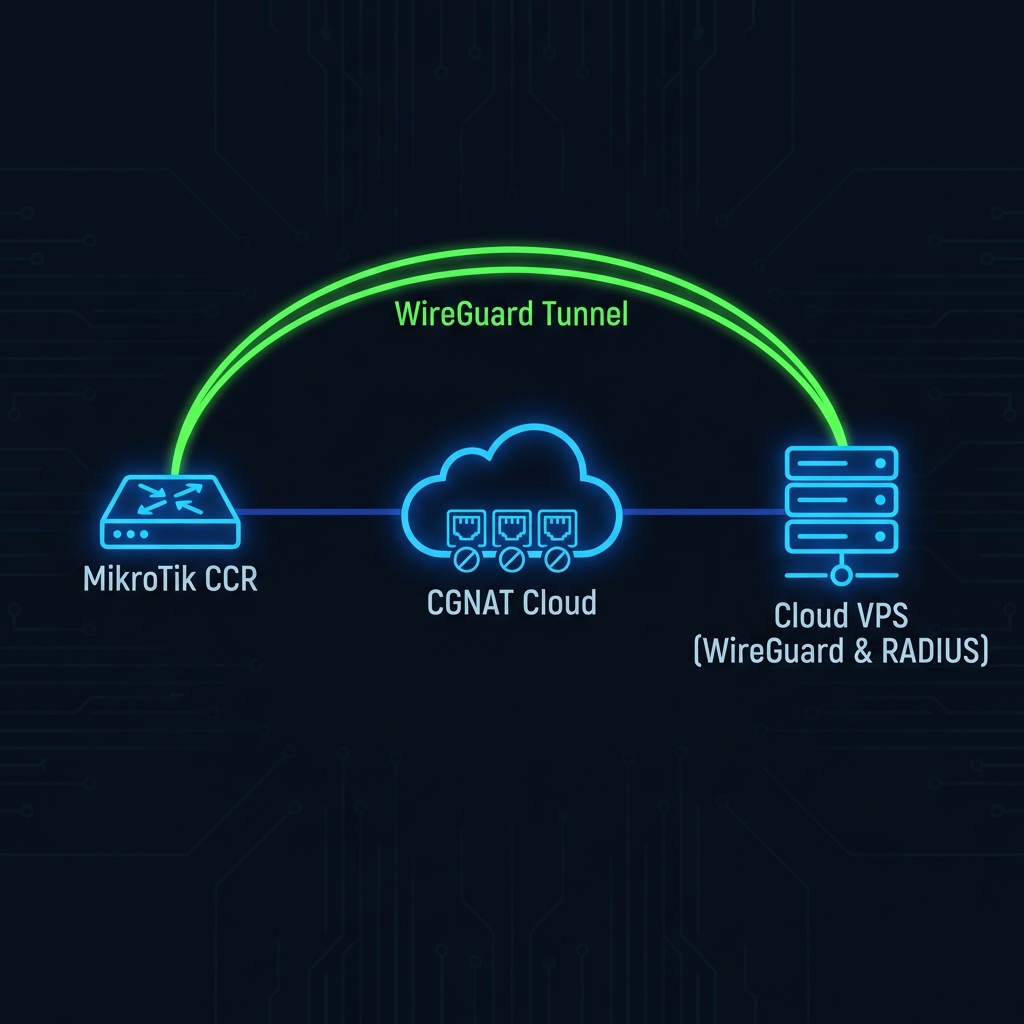
At YesSpot, we use WireGuard. Why? Because it's a stateless UDP protocol. It behaves more like a "connectionless" pipe than a heavy stateful session.
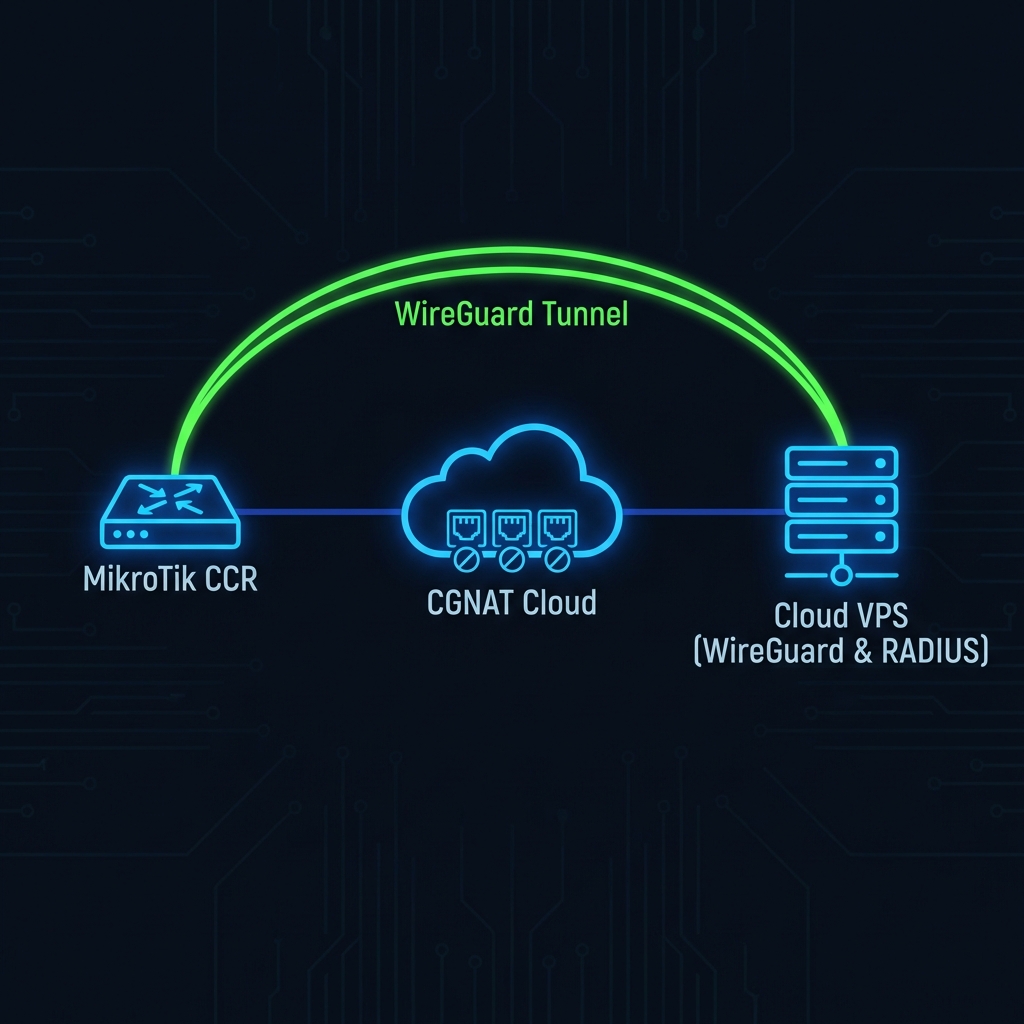
Figure 1: WireGuard tunneling through ISP CGNAT to Cloud Controller
How the "Magic" Works
- Keepalives: The MikroTik initiates the handshake. We set `persistent-keepalive=25s`. This sends a tiny UDP packet every 25 seconds.
- NAT Table Entry: Your ISP's CGNAT router sees this outgoing UDP packet. It opens a temporary "pinhole" mapping a random public port (e.g., `203.0.113.5:45921`) to your MikroTik's private IP `100.64.0.5:13231`.
- The Reply Path: Our cloud server receives the packet and "remembers" that `203.0.113.5:45921` is YOU. When we need to send data back (like a RADIUS Disconnect-Request), we send it to that public port.
- The Traversal: The ISP's router sees the incoming packet returning to the active pinhole and forwards it back to your MikroTik. The connection is established.
Configuration Deep Dive
Don't believe us? Here is the exact `export` configuration that powers our 10,000+ deployed routers.
# 1. Create the WireGuard Interface
/interface wireguard add listen-port=13231 mtu=1420 name=yesspot-cloud

# 2. Add the IP Address to the Tunnel
/ip address add address=10.252.10.2/24 interface=yesspot-cloud network=10.252.10.0

# 3. Add the Cloud Peer (This is the critical part)
/interface wireguard peers
add allowed-address=10.252.0.0/16 \
    endpoint-address=vpn.yesspot.in \
    endpoint-port=51820 \
    interface=yesspot-cloud \
    persistent-keepalive=25s \
    public-key="YOUR_CLOUD_PUBLIC_KEY"

# 4. Configure RADIUS over the Tunnel
/radius
add address=10.252.0.1 \
    secret="shared-secret-123" \
    service=hotspot \
    timeout=300ms
Why Latency Matters
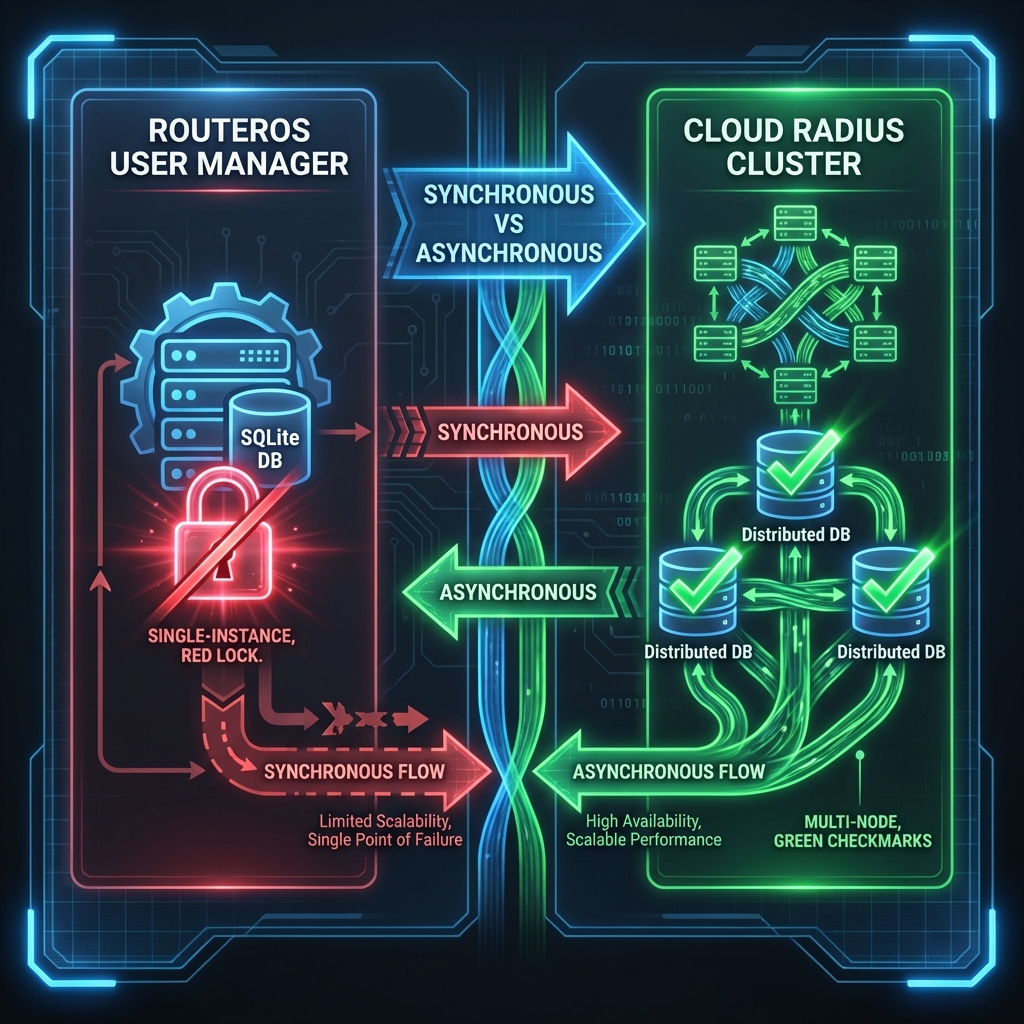
Many managed cloud solutions fail because they rely on HTTP-based APIs or heavy VPNs. RADIUS is latency-sensitive.
If a user tries to login, the Access-Request packet must go to the cloud and back. If your VPN adds 200ms of latency, the user sees a "Loading..." spinner. If packets drop, they see "Timeout".
WireGuard is kernel-space code. It's extremely lightweight. We typically see latency increases of only 5-15ms over the raw internet path. This is indistinguishable from a local server to the end user.
Check your MTU: The #1 reason for "weird" website loading issues over VPN is MTU fragmentation. Standard Ethernet is 1500 bytes. WireGuard adds overhead. We set standard MTU to 1420 to be safe. Never leave it at default if you are tunneling PPPoE traffic inside usage!
Conclusion
You don't need to pay your upstream provider for a static IP. You don't need to run a complex customized server. By using modern WireGuard tunneling, YesSpot creates a secure, encrypted, and low-latency link directly to your router.
It works behind Double NAT. It works behind LTE/4G. It works on Starlink.