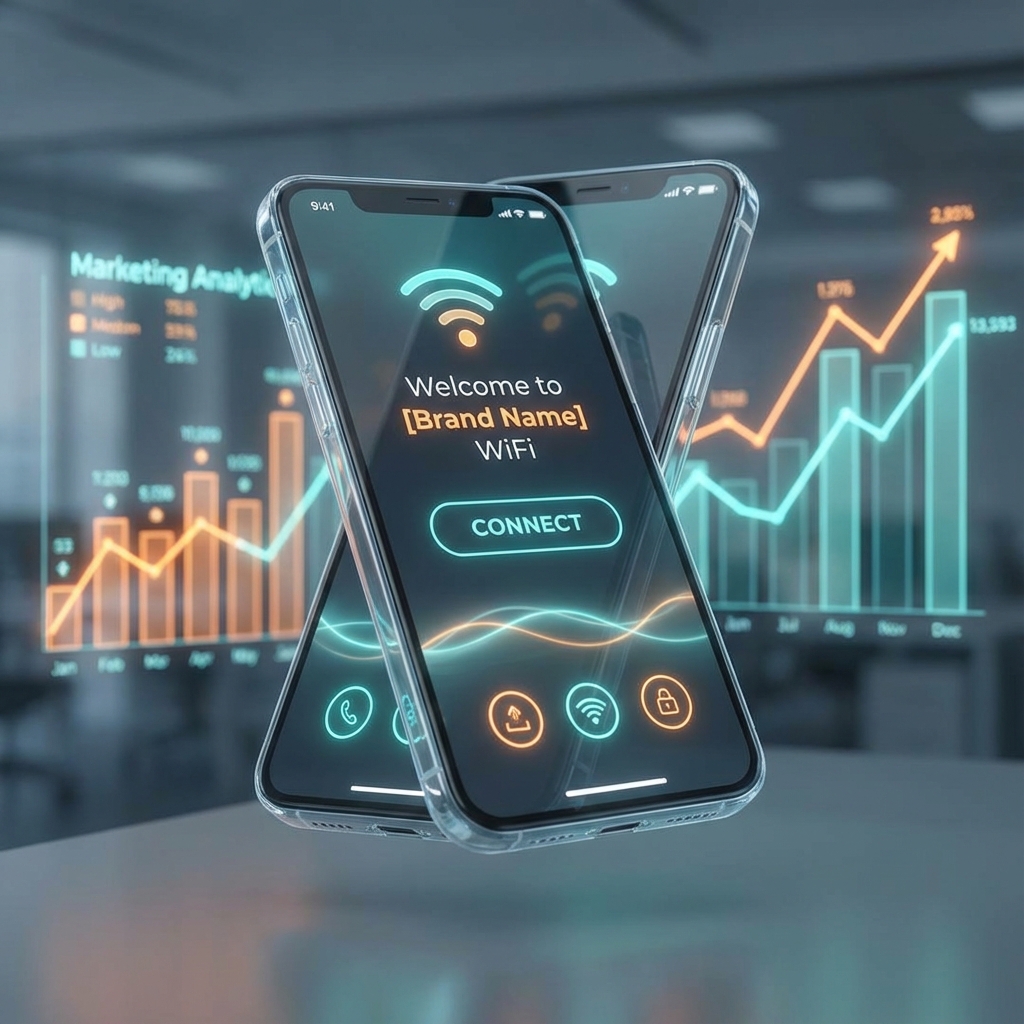
Dynamic login pages for WiFi hotspots represent the next evolution in captive portal technology—intelligent, context-aware authentication interfaces that adapt to users, locations, and situations in real-time. In 2025, static, one-size-fits-all login pages are obsolete. YesSpot's dynamic login page system delivers personalized, conversion-optimized experiences that increase engagement, collect valuable data, and drive revenue. This comprehensive guide explores how dynamic authentication pages work, why they outperform traditional captive portals, and how to implement them for your WiFi network.
What is a Dynamic Login Page?
A dynamic login page (also called a smart captive portal or adaptive authentication page) is a WiFi access interface that automatically changes its content, design, and behavior based on real-time conditions. Unlike static login pages that display the same interface to everyone, dynamic pages adapt to:
- User Attributes: First-time vs returning visitors, device type, geographic location
- Environmental Context: Time of day, day of week, season, weather conditions
- Business Rules: Occupancy levels, promotion availability, user segments
- Behavioral Data: Past authentication history, purchase behavior, engagement patterns
Think of dynamic login pages as intelligent concierges that greet every WiFi user personally, presenting relevant offers and authentication options based on who they are and the current situation.
Why Dynamic Login Pages Outperform Static Captive Portals
1. Higher Conversion Rates
Personalized content converts 2-3x better than generic messages. A breakfast promotion shown at 7 AM converts far better than the same promotion shown at 7 PM. Dynamic pages display the right message at the right time.
2. Improved User Experience
Returning users see personalized greetings ("Welcome back, John!") rather than generic forms. First-time visitors see helpful onboarding. Mobile users see mobile-optimized interfaces. Every user experience feels tailored.
3. Increased Revenue
Dynamic cross-selling and up-selling based on context generates more sales. Promote room upgrades when occupancy is low, highlight dining during meal hours, and push spa services when capacity is available.
4. Better Data Collection
Progressive profiling collects more data over time. First-time visitors provide basic info; returning users are asked additional questions gradually, reducing form abandonment and increasing data completeness.
5. Operational Efficiency
Automated content updates eliminate manual splash page changes. Promotions automatically activate/deactivate based on schedules, inventory levels, or business rules—no human intervention required.
YesSpot Dynamic Login Page System: Architecture
1. Rule Engine
YesSpot's powerful rule engine evaluates multiple conditions in real-time:
- User Conditions: First-time vs returning, authentication history, demographic data
- Temporal Conditions: Time of day, day of week, date ranges, seasons
- Contextual Conditions: Location, device type, connection source, referrer
- Business Conditions: Inventory levels, occupancy rates, promotion availability
- External Conditions: Weather, local events, holidays (via API integrations)
2. Content Variants
Create unlimited page variations:
- A/B Test Variants: Multiple versions tested against each other
- Personalized Variants: Different content for different user segments
- Time-Based Variants: Morning, afternoon, evening, night versions
- Location-Based Variants: Different designs per venue or zone
3. Component Library
Mix and match modular components:
- Authentication Widgets: OTP, social login, vouchers, username/password
- Content Blocks: Banners, carousels, videos, text, images
- Form Elements: Email capture, surveys, feedback forms, registrations
- Call-to-Action Buttons: Prominent, secondary, tertiary actions
- Social Proof: Testimonials, reviews, user counts, ratings
4. Analytics Dashboard
Track performance in real-time:
- Variant Performance: Which versions convert best
- Rule Effectiveness: How conditions affect conversions
- Engagement Metrics: Time on page, interaction rates, abandonment points
- Revenue Attribution: Sales generated by specific variants
Dynamic Content Triggers: When to Change Login Pages
Time-Based Triggers
Morning (6 AM - 11 AM)
- Promote breakfast/coffee
- Highlight early bird specials
- Show energizing, uplifting content
- Bright color schemes
Afternoon (11 AM - 4 PM)
- Lunch promotions
- Day pass offers
- Productivity-focused messaging
- Neutral, professional design
Evening (4 PM - 9 PM)
- Dinner promotions
- Evening entertainment
- Happy hour countdowns
- Warm, inviting color schemes
Night (9 PM - 6 AM)
- Late-night dining
- Extended stay offers
- Quiet, calming design
- Dark mode optimized
Day-of-Week Triggers
Weekdays (Monday - Friday)
- Business-focused messaging
- Corporate promotions
- Productivity tools highlighted
- Efficiency-oriented CTAs
Weekends (Saturday - Sunday)
- Leisure-focused content
- Family promotions
- Entertainment highlighted
- Fun, relaxed CTAs
Weather-Based Triggers
Hot Weather (> 25°C / 77°F)
- Promote cold drinks, ice cream, AC areas
- Outdoor seating with shade
- Cooling imagery in design
- Refreshment-focused offers
Cold Weather (< 15°C / 59°F)
- Hot beverages, comfort food
- Indoor seating by heaters
- Cozy, warm imagery
- Comfort-focused offers
Rainy Weather
- Indoor activities
- Extended stay promotions ("Stay dry with us")
- Cozy atmosphere messaging
- Shelter from storm CTAs
Location-Based Triggers
Lobby vs Restaurant vs Pool
- Different login pages per venue zone
- Relevant amenities highlighted
- Zone-specific promotions
- Appropriate CTAs for each area
Floor-Based (Malls, Multi-Story Buildings)
- Ground floor: Dining options
- First floor: Fashion retail
- Second floor: Entertainment
- Dynamic wayfinding integration
Occupancy-Based Triggers
High Occupancy (> 80% full)
- Premium pricing promotions
- Upsell to higher tiers
- Fast-track VIP access offers
- Exclusive perks highlighted
Low Occupancy (< 40% full)
- Discount promotions to drive traffic
- Special offers highlighted
- Extended stay incentives
- Value-focused messaging
Personalization Strategies by User Type
First-Time Visitors
Goal: Capture data, make great first impression
- Welcome messaging with value proposition
- Minimal data collection (email or phone only)
- Clear explanation of WiFi access process
- Helpful tips and guidelines
- Introductory promotion for next visit
Returning Visitors
Goal: Build loyalty, encourage engagement
- Personalized greeting ("Welcome back!")
- Simplified authentication (remember me options)
- Loyalty program highlights
- Rewards for repeat visits
- Referral program invitations
VIP Customers
Goal: Deliver premium experience
- Exclusive messaging and design
- Skip-the-line access
- Premium support contact
- Exclusive promotions
- Upsell opportunities
Corporate Users
Goal: Professional, efficient access
- Business-oriented design
- Meeting room booking
- Day pass options
- Enterprise features highlighted
- Invoicing and account management
Industry-Specific Dynamic Login Page Examples
Hotels & Resorts
Check-In Guest (First-Time)
- Welcome message with hotel name and logo
- Room number input for room-based access
- Amenities showcase (spa, pool, restaurant)
- Concierge contact information
- Loyalty program enrollment with bonus points
Returning Guest
- "Welcome back to [Hotel Name], [Guest Name]!"
- Skip authentication with recognized device
- Room upgrade offers based on availability
- Targeted promotions based on past preferences
- Express checkout option
Lobby vs Pool vs Restaurant
- Lobby: General hotel information, room upgrade offers
- Pool: Towel service, cabana rentals, drink service
- Restaurant: Menu highlights, reservation booking, happy hour
Restaurants & Cafes
Breakfast Rush (7 AM - 10 AM)
- Breakfast menu highlights
- Coffee shop promotion
- Early bird specials
- Quick access for regular commuters
Lunch Hours (12 PM - 3 PM)
- Lunch specials
- Business lunch promotions
- Table availability status
- Express lunch ordering
Happy Hour (4 PM - 7 PM)
- Drink and appetizer specials
- Countdown timer to happy hour
- Group booking incentives
- Event promotion (live music, trivia)
Late Night (9 PM - Close)
- Late-night menu
- Extended stay offers ("Work late with us")
- Take-home promotions
- Safe ride promotions
Retail & Shopping Malls
Weekday Shoppers
- Current sales and promotions
- Lunch hour restaurant deals
- Gift card purchase options
- Personal shopper booking
Weekend Shoppers
- Weekend sales events
- Family activities and events
- Extended shopping hours
- Valet parking information
Holiday Seasons
- Festive design and messaging
- Holiday gift guides
- Extended return policy notices
- Special holiday promotions
Co-Working Spaces
Morning (8 AM - 12 PM)
- Productivity-focused messaging
- Meeting room availability
- Day pass options
- Coffee shop promotions
Afternoon (12 PM - 5 PM)
- Lunch deals
- Collaboration space highlights
- Networking event information
- Afternoon pick-me-up promotions
Evening (5 PM - 10 PM)
- Community events
- Evening pass options
- Networking mixers
- Lock and leave information
Technical Implementation: Building Dynamic Login Pages
1. Define Your Strategy
Start with clear objectives:
- What are you trying to achieve? (Data collection, revenue, engagement)
- Who are your primary user segments?
- What context matters most for your business? (Time, location, occupancy)
- What's your brand voice? (Professional, casual, luxurious, friendly)
2. Create Content Variants
Design multiple login page versions:
- 2-3 time-based versions (morning, afternoon, evening)
- First-time vs returning user pages
- Location-specific pages (if applicable)
- Promotional pages for special events
3. Configure Rules
Set conditions in YesSpot's rule builder:
- IF time is 6 AM - 11 AM, show breakfast-variant
- IF user is returning, show returning-variant
- IF location is pool, show pool-variant
- IF occupancy < 40%, show discount-promo-variant
4. Test Thoroughly
Verify every rule and variant:
- Test time-based rules at different hours
- Verify device detection (mobile vs desktop)
- Check location-based routing accuracy
- Validate authentication flow for each variant
5. Monitor & Optimize
Use analytics to improve:
- Track which variants convert best
- Identify low-performing rules
- A/B test headlines, CTAs, and designs
- Continuously refine based on data
Advanced Dynamic Features with YesSpot
Machine Learning Personalization
YesSpot's AI engine learns user preferences over time:
- Predicts optimal content based on past behavior
- Automatically tests and optimizes variants
- Identifies high-value user segments
- Recommends rule improvements
Geolocation Targeting
Deliver hyper-local content:
- Detect user's approximate location
- Show promotions for nearby venues
- Display local language automatically
- Customize currency and pricing display
Device Fingerprinting
Recognize returning users without cookies:
- Identify devices across sessions
- Remember user preferences
- Skip re-authentication for trusted devices
- Track device-type usage patterns
Real-Time Inventory Integration
Connect with business systems:
- Room availability (PMS integration)
- Table availability (POS integration)
- Product inventory (eCommerce integration)
- Promotion eligibility (CRM integration)
Weather API Integration
YesSpot integrates with weather services:
- Automatically detects local weather
- Triggers weather-based content rules
- Adjusts promotions based on forecast
- Seasonal content automation
A/B Testing Dynamic Login Pages
What to Test
Continuously optimize with experiments:
- Headlines: Welcome messages vs value propositions
- CTAs: "Get WiFi" vs "Connect Now" vs "Start Free Trial"
- Forms: Email-only vs phone-only vs both
- Design: Minimal vs information-dense layouts
- Colors: Blue vs green vs red primary buttons
- Images: People vs products vs abstract backgrounds
Setting Up Tests
- Define Hypothesis: "Green CTA buttons will convert 10% better than blue"
- Create Variants: Build identical pages with only the tested element changed
- Set Traffic Split: Allocate 50% of users to each variant
- Run Test: Let test run for minimum 1,000 users or 1 week
- Analyze Results: Declare winner if statistical significance reached (>95%)
- Implement Winner: Traffic all users to winning variant
Statistical Significance
Don't declare winners too early:
- Minimum sample size: 1,000 users per variant
- Minimum duration: 7 days to account for weekly patterns
- Statistical confidence: 95% or higher
- Effect size: Minimum 5% difference to be meaningful
Dynamic Login Page Analytics: Key Metrics
Conversion Metrics
- Authentication Rate: % who successfully login
- Time to Convert: Seconds from page load to authentication
- Form Abandonment: % who start but don't complete
- Variant Performance: Conversion rate by page version
Engagement Metrics
- Page Views: Total splash page impressions
- Time on Page: Average duration before authentication
- Interaction Rate: Clicks on non-authentication elements
- Scroll Depth: How much content users view
Business Metrics
- Revenue Generated: Sales attributed to splash page
- Data Collected: Emails, phones obtained
- Promotion Redemption: Coupon codes used from splash page
- User Segments: First-time vs returning vs VIP distribution
Real-World Success Stories: Dynamic Login Pages in Action
Hotel Chain: Time-Based Personalization
Challenge: Generic splash page wasn't driving ancillary revenue.
Solution: YesSpot implemented time-based dynamic pages:
- Morning: Promote spa and breakfast
- Afternoon: Highlight pool and activities
- Evening: Restaurant and bar promotions
- Night: Room service and late-night dining
Results:
- 35% increase in spa bookings attributed to morning splash page
- 28% rise in restaurant reservations from evening promotions
- $45,000 additional monthly revenue
- 12% increase in overall guest satisfaction scores
Shopping Mall: Location-Based Routing
Challenge: Visitors couldn't find stores and promotions relevant to their location.
Solution: Floor-specific dynamic splash pages:
- Ground floor: Food court promotions
- First floor: Fashion retail sales
- Second floor: Entertainment and cinema
- Dynamic wayfinding map with user's location
Results:
- 45% increase in foot traffic to promoted stores
- 30% coupon redemption rate
- 60% reduction in "where is..." information desk queries
- Average dwell time increased from 45 to 75 minutes
QSR Chain: Weather-Based Optimization
Challenge: Menu promotions weren't aligned with customer preferences.
Solution: Weather-triggered dynamic pages:
- Hot days: Promote cold drinks, ice cream, AC seating
- Cold days: Hot beverages, comfort food, heating
- Rainy days: Indoor seating, extended stay offers
Results:
- 22% increase in cold drink sales on hot days
- 18% increase in hot beverage sales on cold days
- 35% increase in average visit duration during rain
- 12% overall revenue increase attributed to weather optimization
Privacy & Compliance for Dynamic Login Pages
Data Collection Best Practices
- Transparency: Clearly explain what data you collect and why
- Consent: Obtain explicit consent for marketing communications
- Minimization: Collect only necessary data, progressively gather more over time
- Retention: Define and communicate data retention periods
- Access: Provide users access to their collected data
GDPR Compliance
- Display privacy policy link prominently
- Checkbox for marketing communications consent
- Data processing agreement link
- Right to deletion information
- Clear indication of data controller
CCPA Compliance (California)
- Notice of data collection categories
- Do not sell my personal information link
- Opt-out mechanism for data sales
- California resident identification
Future Trends in Dynamic Login Pages
AI-Generated Content
Upcoming YesSpot features:
- Automatically generate personalized headlines
- Create dynamic promotional offers based on user value
- Optimize design elements via machine learning
- Predict best-performing content combinations
Voice & Gesture Control
- Voice commands for hands-free authentication
- Gesture-based interaction for touchless access
- Accessibility compliance (ADA, WCAG)
- Multi-modal authentication options
Augmented Reality Integration
- AR venue maps showing user location
- Virtual product demonstrations
- 3D navigation and wayfinding
- Immersive brand experiences
FAQ: Dynamic Login Pages
Q: How fast do dynamic pages load?
YesSpot's dynamic pages load as fast as static pages—under 2 seconds on average. Rules are evaluated server-side, and content is delivered via global CDN for instant loading regardless of user location.
Q: Can I use dynamic pages without technical expertise?
Absolutely. YesSpot's visual rule builder requires no coding. Set conditions using dropdowns and checkboxes, then design pages with our drag-and-drop builder. Advanced users can add custom code if desired.
Q: Will dynamic pages confuse users with changing content?
Not if designed well. Changes should feel relevant and helpful, not random. Focus on context that benefits users—showing breakfast in the morning feels natural, not confusing. Test thoroughly to ensure positive user experience.
Q: How many variants should I create?
Start small: 2-3 time-based variants plus a returning user page. Add more as you learn what works. Too many variants become difficult to manage and optimize. Quality beats quantity.
Q: Can I use dynamic pages with MikroTik routers?
Yes, YesSpot's dynamic pages work seamlessly with MikroTik and all major router brands. The router simply redirects users to YesSpot's cloud platform, where dynamic content is generated based on your rules.
Q: How do I measure ROI from dynamic pages?
Track metrics before and after implementation:
- Conversion rate improvement
- Revenue generated from splash page promotions
- Data collection (emails, phones)
- User engagement metrics
- Customer satisfaction scores
Most businesses see 3-5x ROI within the first 3 months through increased revenue and improved data collection.
Conclusion: Transform Your WiFi with Dynamic Login Pages
Dynamic login pages represent the future of WiFi captive portals—personalized, intelligent, and conversion-optimized. YesSpot makes implementation accessible to businesses of all sizes, with no coding required and results visible immediately.
Whether you're a hotel delivering personalized guest experiences, a restaurant promoting time-relevant specials, or a retailer driving foot traffic, dynamic login pages deliver measurable results that static pages simply cannot match.
Start your free trial today and create your first dynamic login pages in minutes. Our team is here to help you design, implement, and optimize intelligent captive portals that achieve your business goals.